

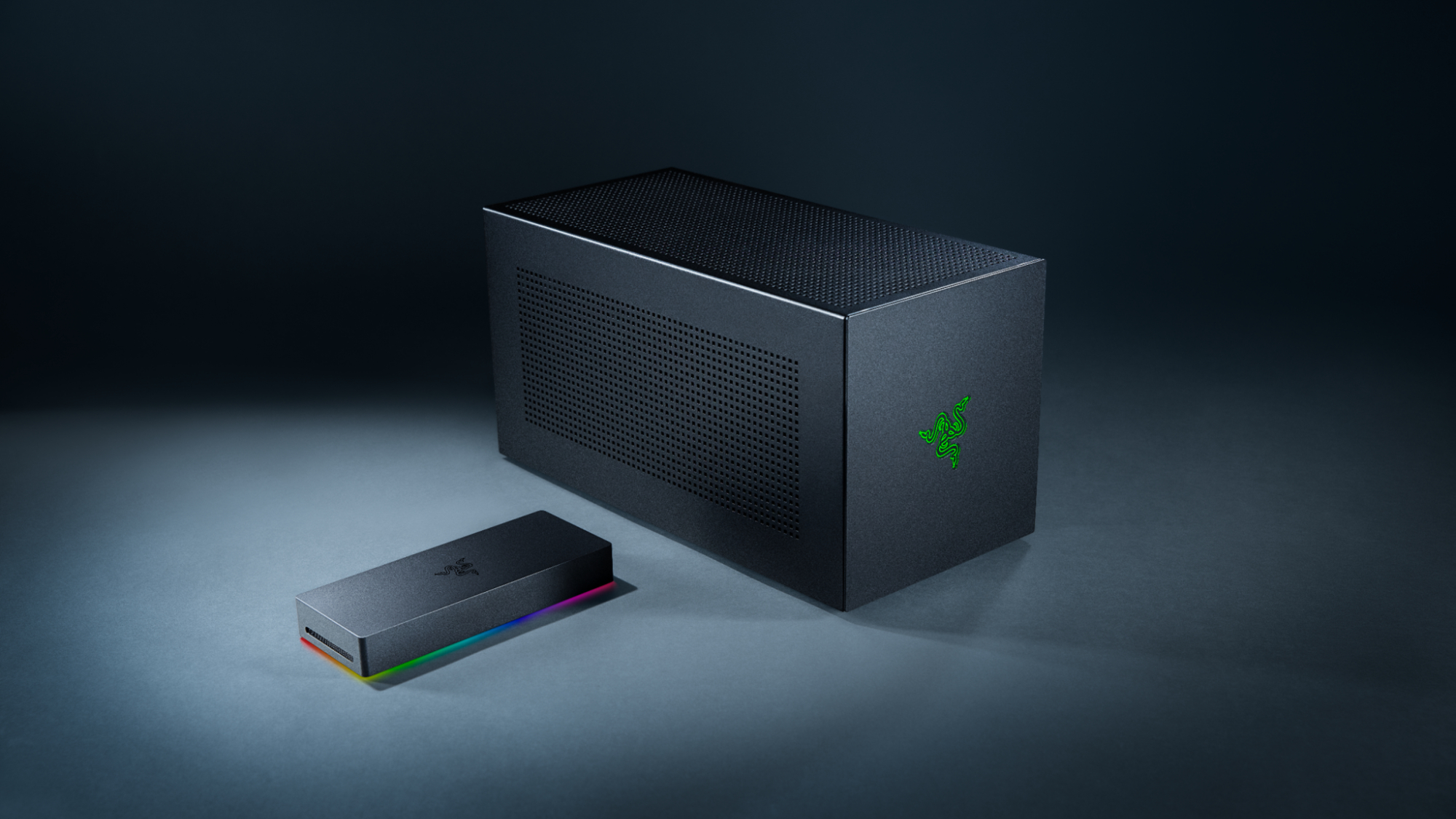
The Razer Core X V2 represents a significant evolution in external GPU technology, offering laptop users the ability to harness desktop-class graphics performance without sacrificing portability. This Thunderbolt 3 eGPU enclosure has become a game-changer for professionals and gamers who need the flexibility of a laptop with the raw power of a desktop graphics card.
Design and Build Quality
The Core X V2 maintains Razer’s signature aesthetic with a sleek, matte black aluminum chassis that exudes premium quality. The enclosure measures 374mm x 230mm x 168mm, making it substantially larger than its predecessor while accommodating the most demanding graphics cards on the market. The minimalist design features subtle RGB lighting accents and the iconic Razer logo, ensuring it complements any desktop setup.
Build quality is exceptional, with the all-aluminum construction providing excellent heat dissipation and durability. The magnetic side panel removal system makes GPU installation straightforward, while the internal cable management keeps everything tidy and accessible.
Performance and Compatibility
Graphics Card Support
The Core X V2 supports virtually any modern graphics card, including:
- NVIDIA RTX 40-series and 30-series cards
- AMD Radeon RX 7000 and 6000 series
- Cards up to 330mm in length and 3-slot width
- Power delivery up to 650W via the included power supply
Connection and Bandwidth
Using a single Thunderbolt 3 cable, the Core X V2 delivers:
- 40Gbps bandwidth for data transfer
- 100W power delivery to charge compatible laptops
- Plug-and-play functionality with Windows and macOS
Real-World Performance
Testing with various laptops reveals impressive performance gains. A typical ultrabook equipped with integrated graphics can achieve near-desktop performance when paired with a high-end GPU through the Core X V2. While there’s some performance overhead due to Thunderbolt 3 bandwidth limitations (typically 10-15% compared to native PCIe connections), the improvement over integrated graphics is substantial.
Gaming performance at 1440p and 4K becomes viable with modern GPUs, transforming productivity laptops into capable gaming machines. Creative professionals benefit from accelerated video editing, 3D rendering, and AI workloads that would otherwise be impossible on thin-and-light laptops.
Setup and Installation
Installing a graphics card in the Core X V2 is remarkably simple:
- Remove the magnetic side panel
- Slide the GPU into the PCIe x16 slot
- Secure with the thumb screws
- Connect power cables
- Replace the side panel
- Connect to laptop via Thunderbolt 3
Driver installation is automatic on most systems, though some configurations may require manual driver updates for optimal performance.
Connectivity Options
The rear I/O panel includes:
- 4x USB 3.2 ports
- Gigabit Ethernet port
- Additional connectivity from the installed GPU
This hub functionality reduces cable clutter and provides convenient access to peripherals.
Pros and Cons
Advantages
- Excellent build quality with premium materials
- Wide GPU compatibility supporting the latest cards
- Simple installation process
- Laptop charging via Thunderbolt 3
- Future-proof design accommodating GPU upgrades
- Quiet operation with efficient cooling
Disadvantages
- High price point compared to competitors
- Thunderbolt 3 requirement limits laptop compatibility
- Performance overhead due to external connection
- Large footprint requires significant desk space
- Not truly portable despite laptop connectivity
Price and Value Proposition
The Razer Core X V2 typically retails for around $400-450, positioning it at the premium end of the eGPU market. While expensive, the build quality, compatibility, and performance justify the cost for users who need the flexibility of external GPU connectivity.
When factoring in the ability to upgrade graphics cards independently of laptop purchases, the long-term value proposition becomes more compelling. Users can maintain their preferred laptop while upgrading graphics performance as needed.
Target Audience
The Core X V2 is ideal for:
- Content creators who need mobile workstations with desktop-class GPU performance
- Gamers with thin laptops who want high-end gaming capabilities at home
- Professionals requiring GPU acceleration for CAD, rendering, or AI workloads
- Students who need a single device for both portability and performance
Alternatives and Competition
While several manufacturers offer eGPU enclosures, the Core X V2 distinguishes itself through build quality and compatibility. Alternatives include the Sonnet eGFX Breakaway series and various generic Thunderbolt 3 enclosures, though few match Razer’s combination of features and reliability.
Conclusion
The Razer Core X V2 successfully bridges the gap between laptop portability and desktop performance. While it’s not a perfect solution due to inherent bandwidth limitations and the premium price, it offers an elegant way to transform compatible laptops into gaming and workstation powerhouses.
For users who prioritize flexibility and are willing to pay for premium build quality, the Core X V2 represents one of the best eGPU solutions available. The ability to upgrade graphics cards independently while maintaining laptop mobility makes it a compelling investment for power users who refuse to compromise on either portability or performance.
The Core X V2 proves that external GPU technology has matured into a viable solution for demanding users, offering desktop-class graphics performance without abandoning the laptop form factor. While not suitable for everyone, it excels in its intended role as a premium eGPU enclosure for discerning users.

WeeklyMinds.com is proud to feature an author who brings a wealth of knowledge and experience to our blog. Weekly Minds is an accomplished freelancer writer with 12 years of experience in the field.
WeeklyMinds.com has a passion for sharing insights and perspectives on political, news, technology, home improvement, interiors and many more. Their unique perspective on current affairs has been featured in numerous publications and they have been a guest speaker at college fests.
WeeklyMinds.com is also an avid interest in writing and reading and enjoys singing, music, shopping, travelling and some more. In their free time, they can often be found of reading the novels and various current topics.
We are thrilled to have Elia Scala as a contributor to WeeklyMinds and look forward to their continued insights and contributions to our blog.