

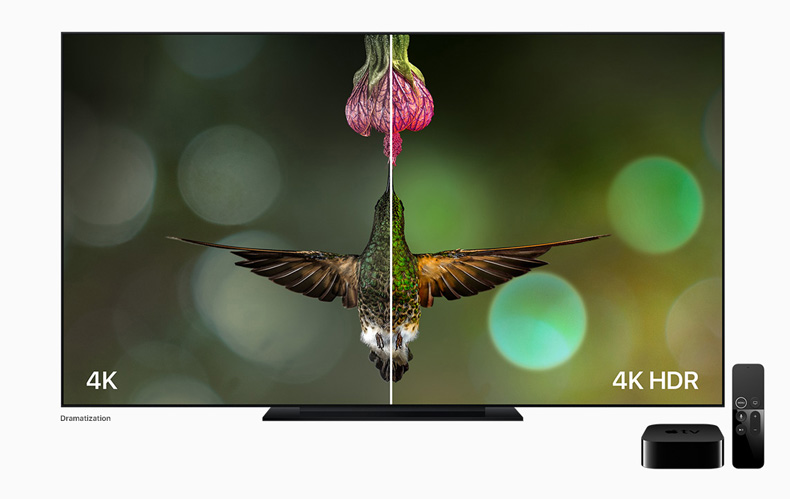
Introduction: Navigating the World of Modern TVs
With so many display technologies available today, shopping for a new television can feel overwhelming. Terms like UHD, LED, OLED, and QLED are often thrown around, but many buyers aren’t sure what they truly mean. Among these, UHD and LED are two of the most commonly confused terms. While they’re often used together in product names—like “UHD LED TV”—they actually refer to entirely different aspects of a television.
This article breaks down the key differences between UHD and LED, helping you understand what each term represents and guiding you on how to choose the best TV for your needs and budget.
Understanding LED: The Display Technology
LED, or Light Emitting Diode, is a type of display technology used in modern televisions. Technically, LED TVs are an evolution of LCD (Liquid Crystal Display) technology. The main difference lies in the backlighting method—while traditional LCD TVs used fluorescent lights, LED TVs use energy-efficient light-emitting diodes to illuminate the screen.
LED backlighting comes in three main types:
- Edge-lit LED: LEDs are placed along the edges of the screen, allowing for slim TV designs but less uniform brightness.
- Direct-lit LED: LEDs are positioned directly behind the screen, offering more consistent lighting but often thicker panels.
- Full-array LED: A premium option where LEDs are spread across the entire back panel, enabling better contrast and deeper blacks, especially when combined with local dimming.
In simple terms, LED refers to how your screen is lit, not how detailed or sharp the image is.
Understanding UHD: The Screen Resolution
UHD, or Ultra High Definition, is all about resolution—the number of pixels displayed on the screen. UHD is a step up from Full HD (1080p), offering a resolution of 3840 x 2160 pixels, which equals roughly 8.3 million pixels in total. This is four times the resolution of Full HD, resulting in sharper, clearer, and more detailed visuals.
When you see a TV labeled as “UHD,” it refers to how many pixels make up the display, not the lighting or color technology. The higher the resolution, the more lifelike and immersive the image appears, especially on larger screens (above 40 inches).
UHD vs LED: Key Differences
Although both UHD and LED contribute to picture quality, they describe very different aspects of a television. Here’s a breakdown of their main differences:
| Feature | LED | UHD |
|---|---|---|
| Meaning | Refers to the lighting technology used to illuminate the display | Refers to the resolution or pixel count of the display |
| Function | Provides brightness and color contrast | Determines sharpness and detail of the image |
| Core Technology | Backlighting method using LEDs | 4K (3840×2160) resolution standard |
| Impact on Picture Quality | Affects brightness, color accuracy, and contrast | Affects clarity, sharpness, and detail |
| Category Type | Display type | Display resolution |
| Examples | LED, QLED, OLED | UHD, 4K, 8K |
In essence, LED is the light source, while UHD is the detail level. You can find TVs that are LED UHD, meaning they use LED backlighting with 4K UHD resolution.
Picture Quality: Brightness vs Clarity
When comparing UHD vs LED, it’s important to understand that they influence picture quality in different ways.
- LED TVs enhance brightness and color through advanced backlighting techniques. Premium LED models with full-array local dimming provide deeper blacks and better contrast, making them ideal for bright rooms.
- UHD TVs, on the other hand, focus on image clarity and sharpness. With four times more pixels than Full HD, UHD delivers finer detail, especially noticeable when sitting close to the screen or watching high-quality 4K content.
For the best experience, both features should work together—an LED UHD TV ensures bright, colorful, and ultra-sharp visuals that look stunning across various lighting conditions.
Performance and Viewing Experience
Your viewing experience depends on both the display type (LED) and resolution (UHD). Here’s how they impact real-world performance:
- In Bright Rooms: LED TVs excel thanks to their strong backlighting, ensuring clear visibility even in daylight.
- For Movie Watching: UHD resolution enhances cinematic details, making 4K content appear lifelike and immersive.
- For Gaming: UHD offers higher detail and sharpness, while LED’s faster refresh rates ensure smooth gameplay.
- For Streaming: Most major platforms like Netflix, Disney+, and Amazon Prime now offer 4K UHD content, maximizing the benefits of a UHD screen.
If your internet speed supports 4K streaming and you enjoy high-definition content, a UHD LED TV provides the best of both worlds.
Price and Affordability
When comparing UHD and LED TVs, price differences often depend on size, features, and brand.
- LED TVs range widely in cost, from budget-friendly HD models to high-end 4K and 8K displays. Basic LED TVs with Full HD resolution are more affordable but may lack the sharpness of UHD.
- UHD TVs typically cost more than Full HD options, as they feature higher resolution and more advanced processing capabilities. However, UHD technology has become much more affordable in recent years, making 4K TVs accessible to most buyers.
For most users, a mid-range LED UHD TV offers the ideal balance of performance, price, and visual quality.
Energy Efficiency and Longevity
LED TVs are known for being energy-efficient compared to older plasma or fluorescent-backlit models. LEDs consume less power, produce less heat, and typically last longer. UHD itself doesn’t directly affect energy consumption—rather, it depends on the display size and brightness settings.
If you’re conscious of electricity usage, look for Energy Star-rated LED UHD TVs, which combine high resolution with eco-friendly performance.
How to Choose: UHD, LED, or Both?
When deciding between UHD and LED, it’s not really a choice of one over the other—they serve different purposes. Instead, focus on finding a TV that offers both technologies for a superior viewing experience. Here are some key tips:
- Go for UHD Resolution (4K)
If you’re upgrading from an older TV, UHD is worth it. The sharpness and detail make a noticeable difference, especially on screens 40 inches or larger. - Ensure It’s LED-Backlit
Almost all modern TVs use LED backlighting, but quality varies. Look for models with full-array local dimming or mini-LED technology for better contrast and brightness control. - Check HDR Compatibility
HDR (High Dynamic Range) enhances color and brightness, making UHD content even more vibrant. Look for TVs that support HDR10, Dolby Vision, or HLG for the best performance. - Consider Your Usage
- For movie lovers, prioritize UHD resolution and HDR support.
- For sports or gaming, choose LED TVs with high refresh rates (120Hz or more).
- For casual viewing, a mid-range LED UHD TV will offer excellent value.
- Think About Future-Proofing
As 4K content becomes standard and 8K gradually emerges, investing in a UHD LED TV ensures your setup stays relevant for years to come.
Common Misconceptions
Many people mistakenly think that UHD and LED are competing technologies. In reality, they complement each other. An LED TV describes the type of screen lighting, while UHD defines the screen’s resolution. A UHD TV can use LED, QLED, or OLED technology—so the right combination depends on your budget and preference for contrast, brightness, and depth.
Another misconception is that UHD automatically means better image quality. While resolution is important, factors like color accuracy, contrast ratio, and refresh rate matter just as much. Always look at the overall picture quality, not just the resolution number.
Conclusion: Finding the Right Balance
The debate between UHD vs LED is less about competition and more about understanding how they work together. LED technology determines the quality of lighting and color contrast, while UHD defines the resolution and clarity of the image. The best TVs combine both—offering bright, sharp, and immersive visuals ideal for modern entertainment.
When shopping for your next television, aim for a UHD LED TV that fits your viewing habits, room lighting, and budget. By understanding what each term means, you can make a smarter purchase and enjoy a truly enhanced home entertainment experience for years to come.

WeeklyMinds.com is proud to feature an author who brings a wealth of knowledge and experience to our blog. Weekly Minds is an accomplished freelancer writer with 12 years of experience in the field.
WeeklyMinds.com has a passion for sharing insights and perspectives on political, news, technology, home improvement, interiors and many more. Their unique perspective on current affairs has been featured in numerous publications and they have been a guest speaker at college fests.
WeeklyMinds.com is also an avid interest in writing and reading and enjoys singing, music, shopping, travelling and some more. In their free time, they can often be found of reading the novels and various current topics.
We are thrilled to have Elia Scala as a contributor to WeeklyMinds and look forward to their continued insights and contributions to our blog.